Technical guide
How Scene Fixer works
Scene Fixer is the continuity supervisor for AI video. It splits your sequence into shots, uses Claude Opus 4.8 to catch every inconsistency — wardrobe, lighting, props, eyeline — then inpaints each fix frame-by-frame with Runway Aleph. Works on output from any AI video model. Here's exactly what happens under the hood.
Upload your video
Drag and drop a video file — MP4, MOV, or most common formats. The file is uploaded directly to Firebase Storage over a signed URL, so it never passes through our web servers. Maximum file size is 200MB.
If you already know what the error is, describe it in the hint field above the drop zone before uploading — e.g. “coffee cup on the table in front of the queen”. The hint is passed to Claude alongside the keyframes and steers detection toward the region you flagged.
No account required to try it. First-time visitors get one free beta fix — tracked with an anonymous UUID stored in your browser, no email needed.
Shot decomposition
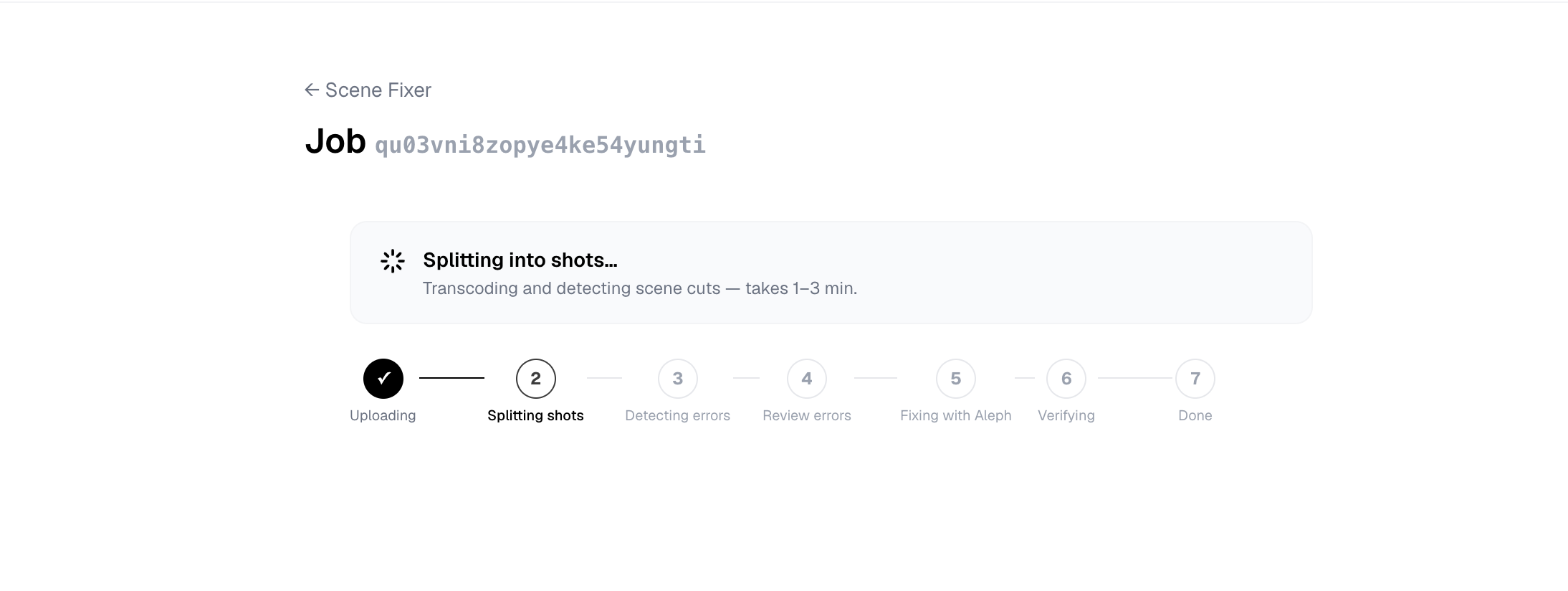
The video is split into individual shots using PySceneDetect, which detects cuts by analyzing frame-level histogram differences. For each shot, FFmpeg extracts 5 evenly-spaced keyframes — these become the visual input for detection.
Continuity error detection
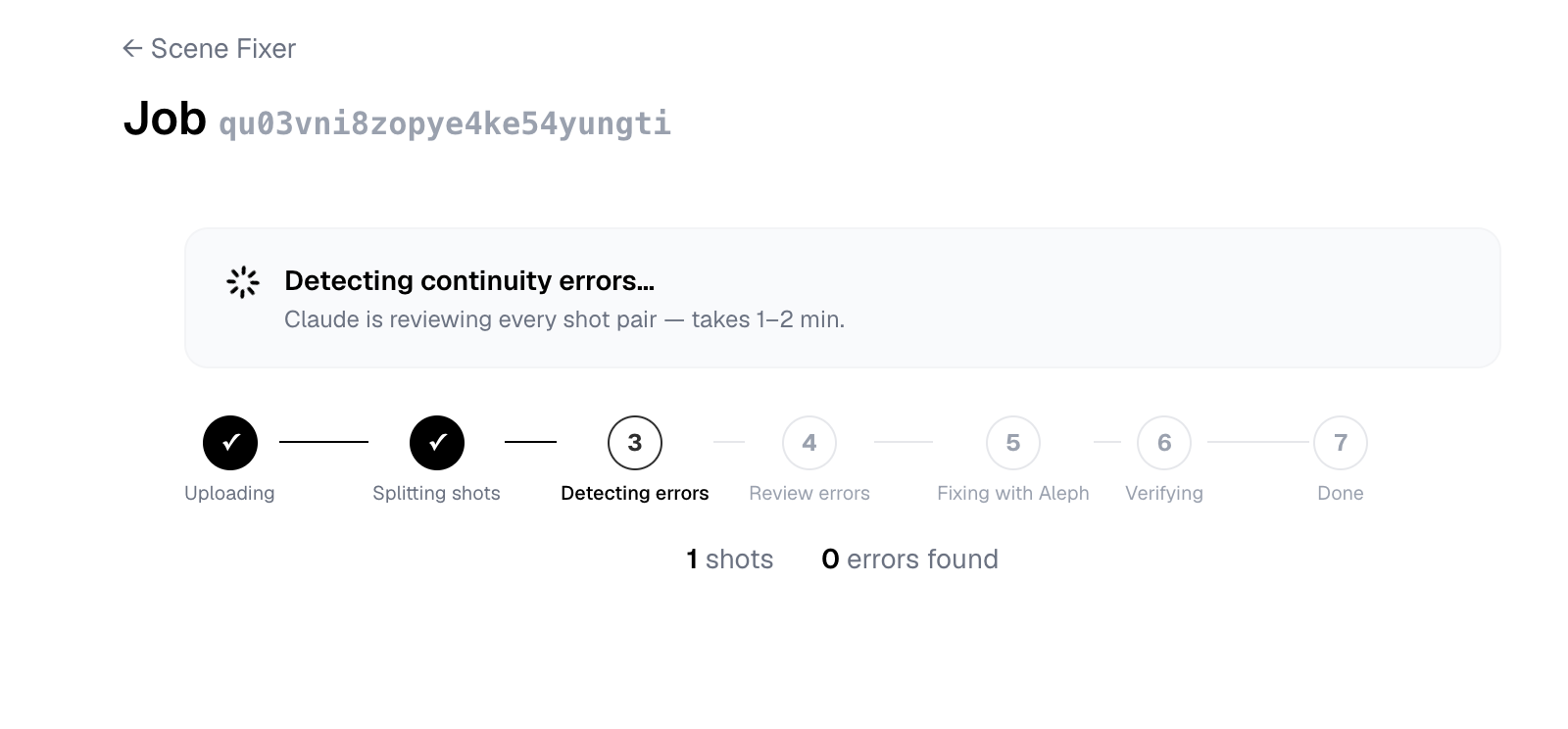
Every adjacent shot pair is sent to Claude Opus 4.8, Anthropic's most capable vision model. It receives the last keyframe of shot A and the first keyframe of shot B and identifies continuity errors across six categories: props, wardrobe, hair & makeup, lighting, set dressing, and eyeline.
For each inconsistency, Claude returns a structured JSON object with the error type, severity (low / medium / high), a human-readable description of what doesn't match and roughly where it is, and a fix suggestion. It does not return precise pixel coordinates — that's the next step. In the review UI you confirm the exact region yourself (or adjust it in the Adjust location modal), which is what actually guides Aleph.
{
  "type": "prop",
  "severity": "high",
  "description": "Modern disposable coffee cup visible on the table in front of the character in Shot B.",
  "fix_suggestion": "Remove the coffee cup from the table.",
  "object_query": "modern coffee cup",
  "fix_target_shot": "B"
}
You review and confirm
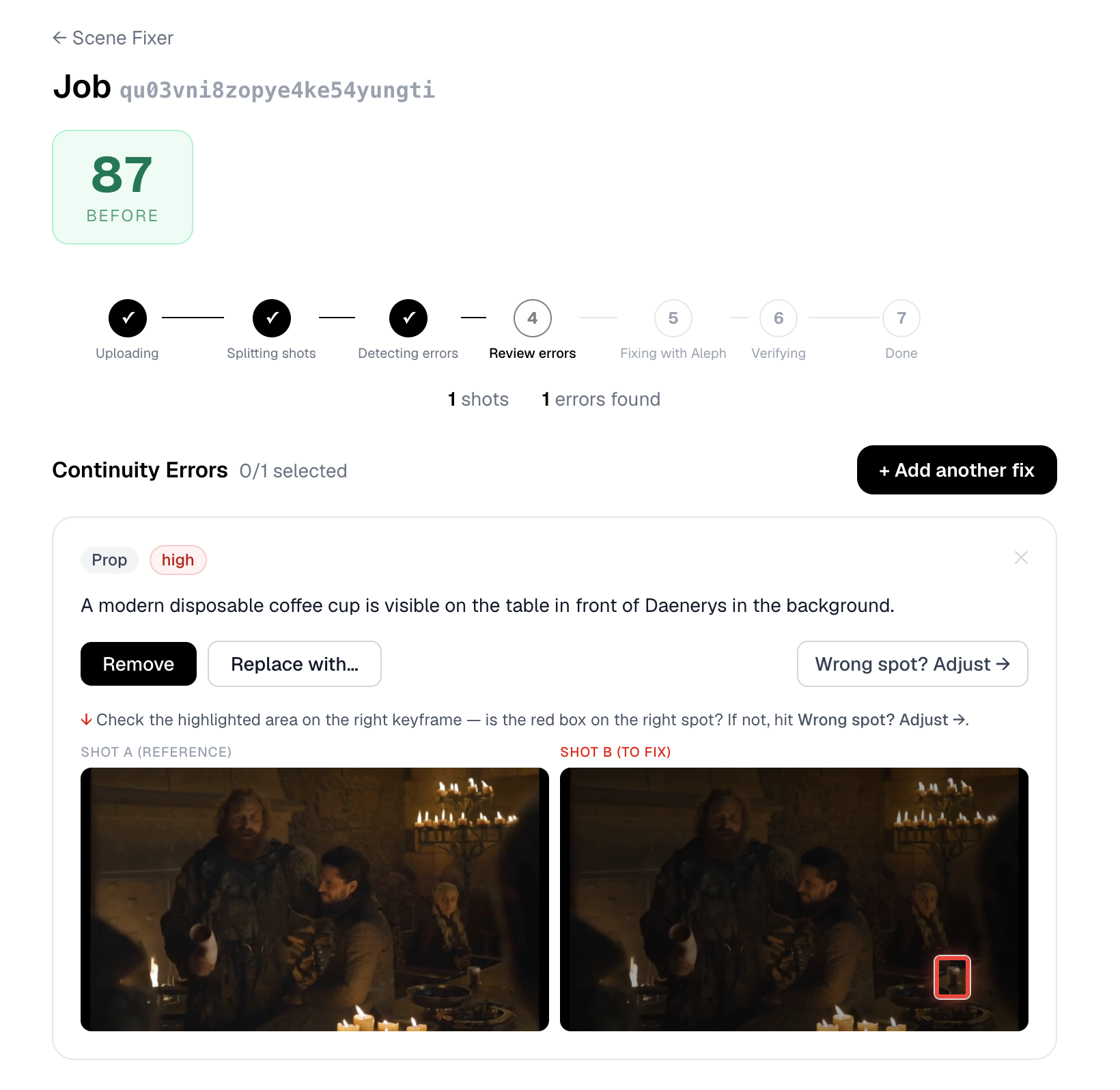
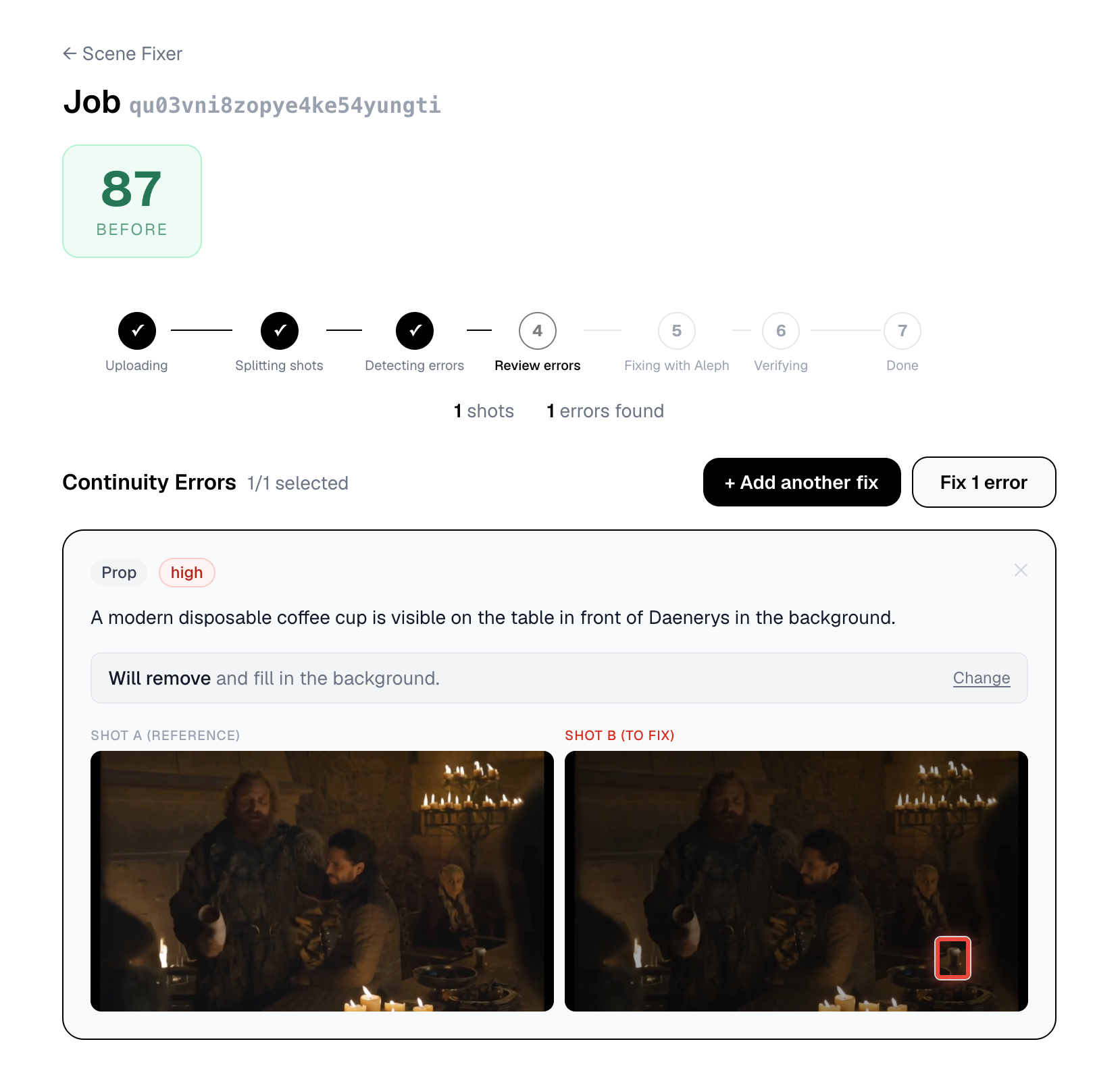
Before anything is fixed, every detected error is shown side-by-side with its two keyframes. A red bounding box highlights the exact region. You choose for each one: Remove (erase and fill in the background) or Replace with… (swap for something you describe).
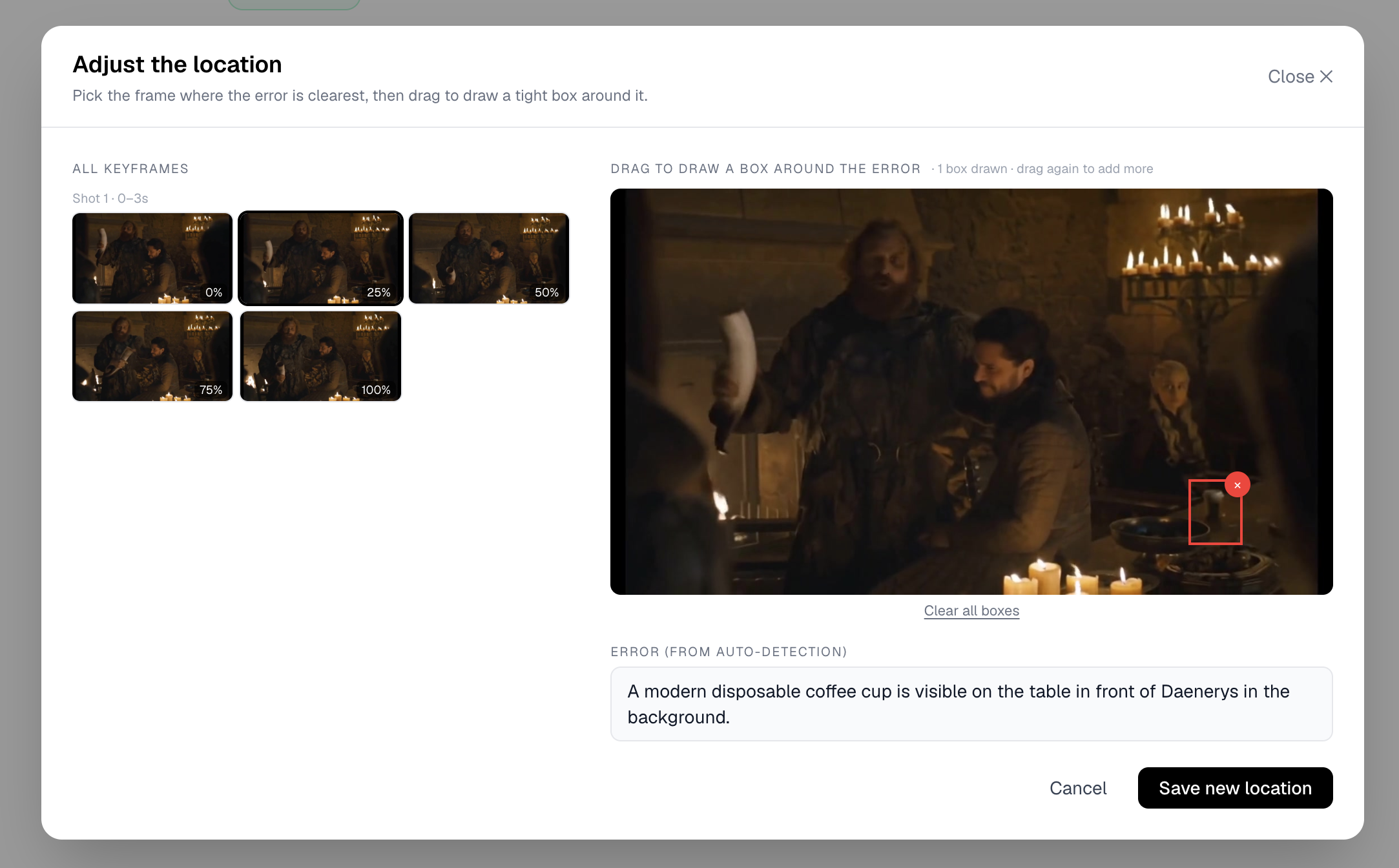
If the auto-detection bounding box isn't quite right, you can open the Adjust location modal — pick the keyframe where the error is clearest and drag to draw a precise box. You can also manually mark errors the AI missed using + Add another fix.
AI inpainting with Runway Gen-4 Aleph
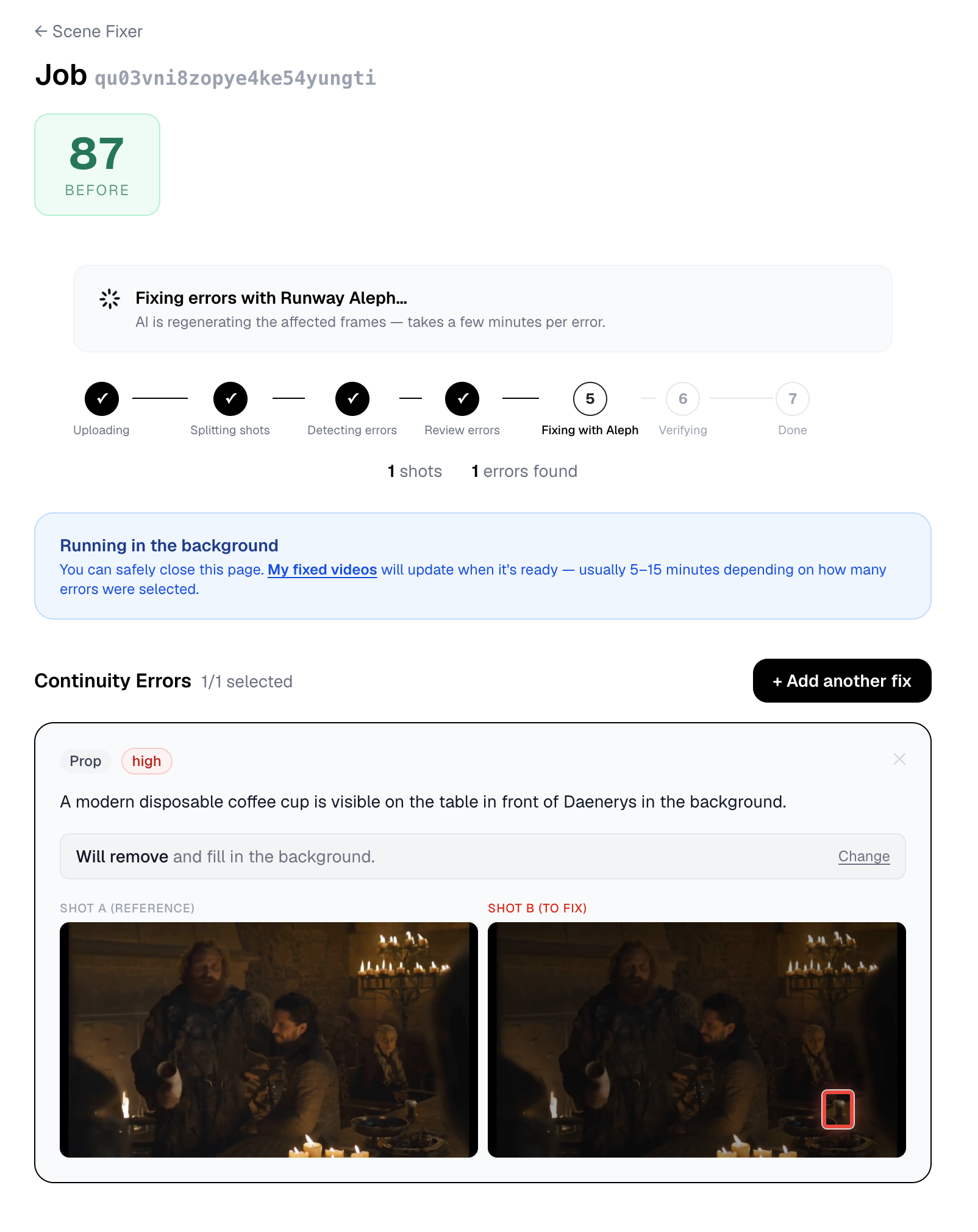
For each confirmed error, the pipeline extracts the clip segment around that shot, composites a red mask over the flagged region, and sends it to Runway Gen-4 Aleph. The text prompt is generated automatically from your Remove / Replace instruction.
Aleph is video-native — it understands camera motion, lighting, and temporal consistency across frames. It fills the masked region across the full clip duration while keeping surrounding content identical. Output is 1280×720 at 24fps.
The fix runs as a background job — you can safely close your browser and come back later. Each Runway call takes 30–90 seconds. Up to 8 errors are processed per session.
Verification
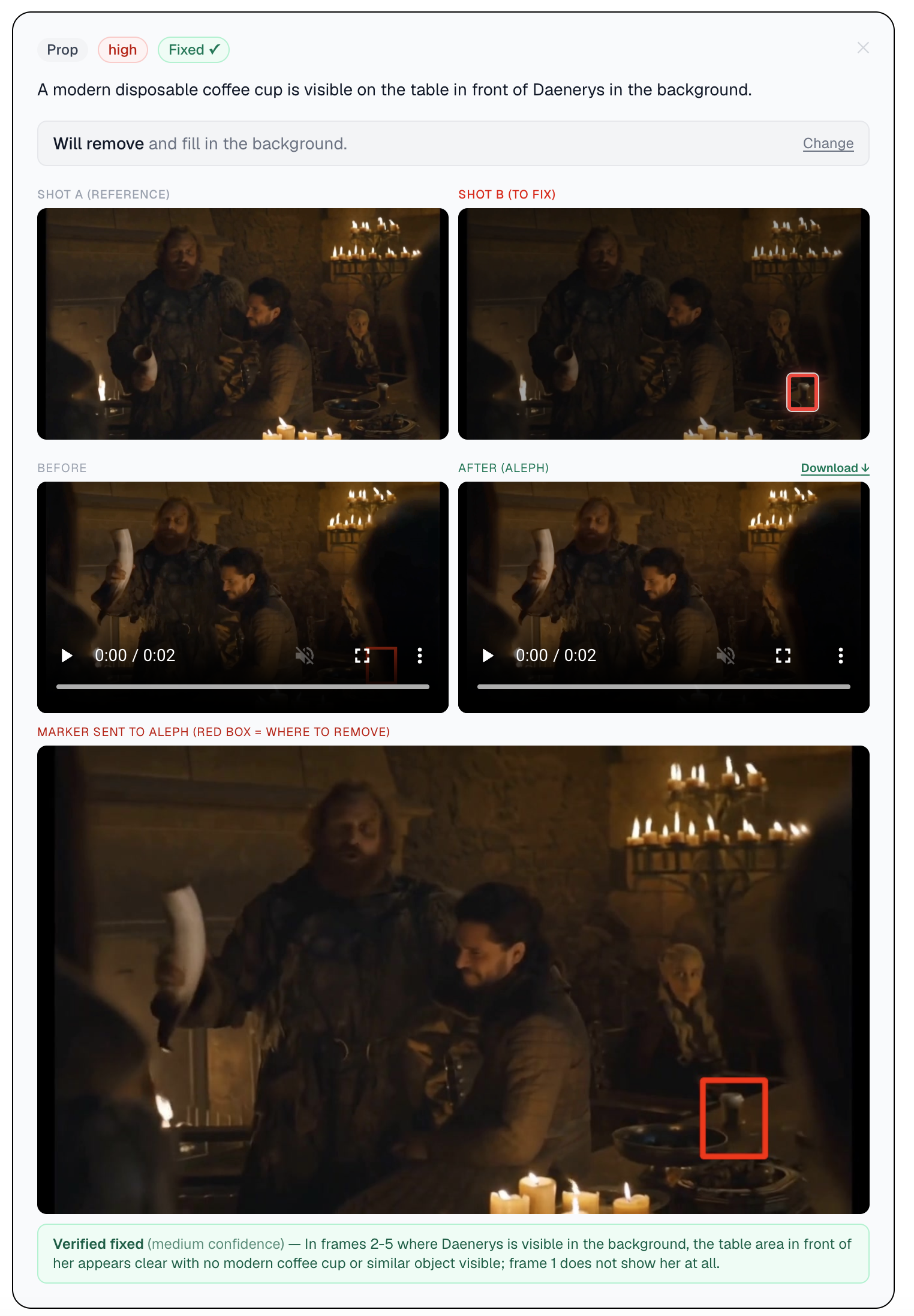
After inpainting, each fixed clip is passed back to Claude Opus 4.8 for independent verification. It compares the original and fixed frames and returns one of three verdicts: Verified fixed, Error still visible, or Inconclusive — plus a confidence rating and a short explanation.
This isn't a formality. Runway occasionally misses faint or textured objects — the verification step catches those cases so you can decide whether to retry or accept. The full result is visible on your job page, including the marker frame that was sent to Aleph.
Stitch, scale & download
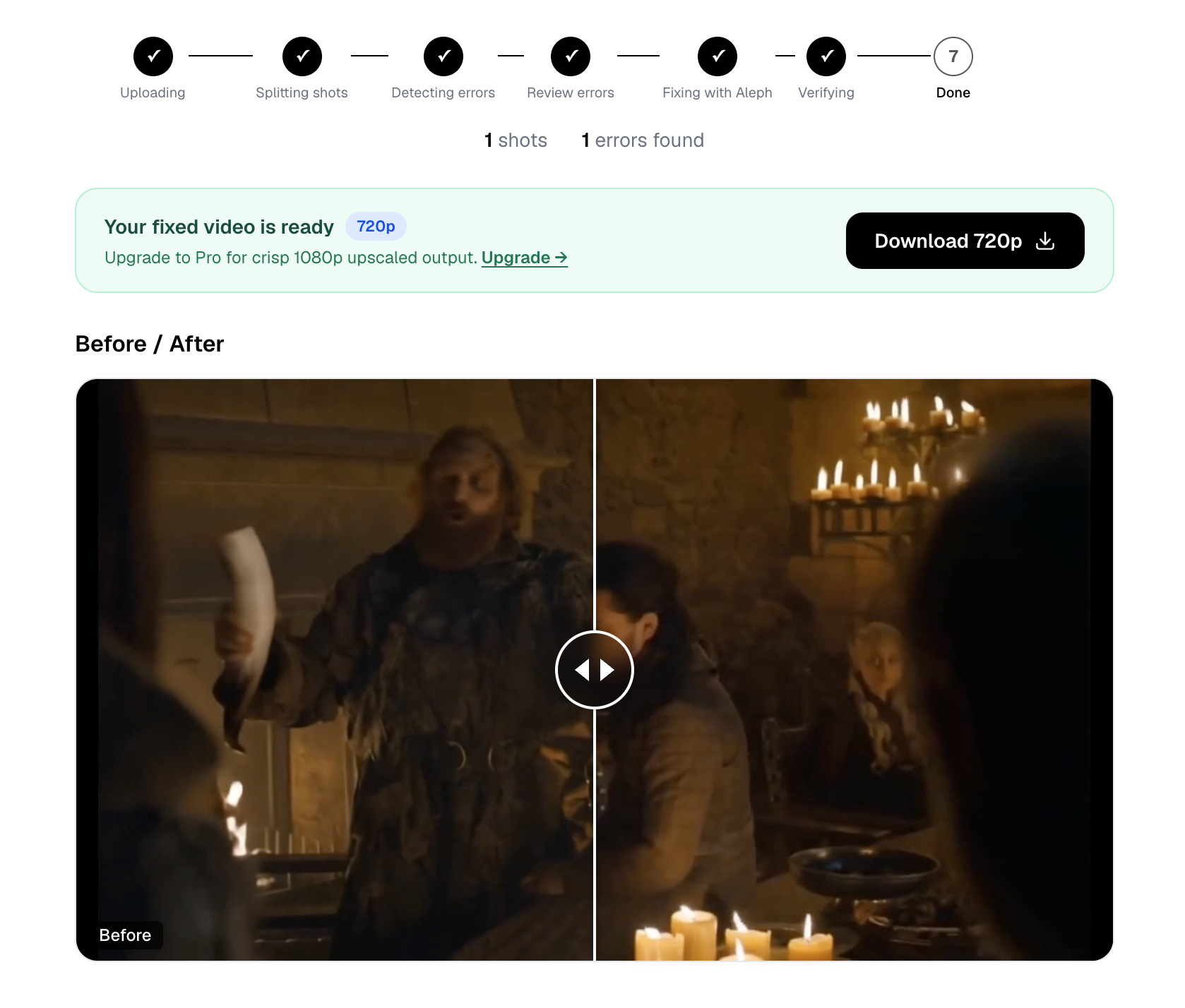
FFmpeg stitches the fixed clips back into the original video timeline — only replacing the modified shots, leaving everything else frame-identical to your source. Audio is preserved throughout.
The output is then scaled to your plan's quality using bicubic resampling:
| Plan | Output | Watermark |
|---|---|---|
| Free | 480p (downscaled) | "Fixed with Scene Fixer" |
| Starter | 720p (native Aleph output) | None |
| Pro / Studio | 1080p (bicubic upscale) | None |
| Pay-per-fix | 720p | None |
Full pipeline at a glance
The whole pipeline runs in the cloud — no software to install, no GPU required.
Try it free →